
Made to be easy
Big, clear screens. Everything works by touch. And when your hands are full, just say what you need.

Just ask
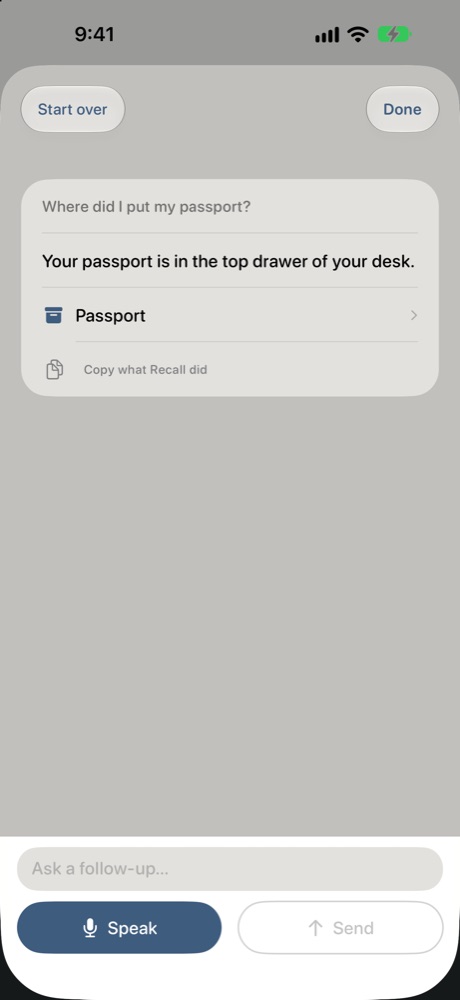
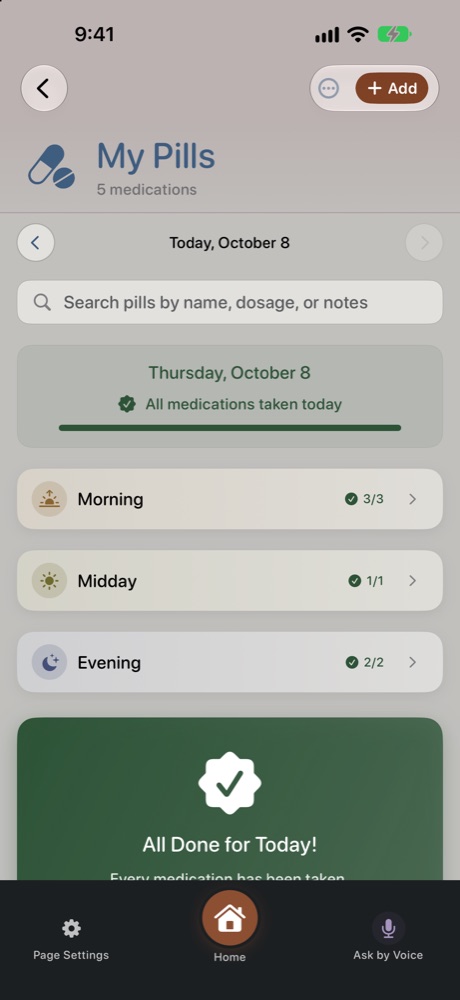
"Where did I put my passport?" "Did I take my morning pills?" Recall answers from your own information.

Never miss it
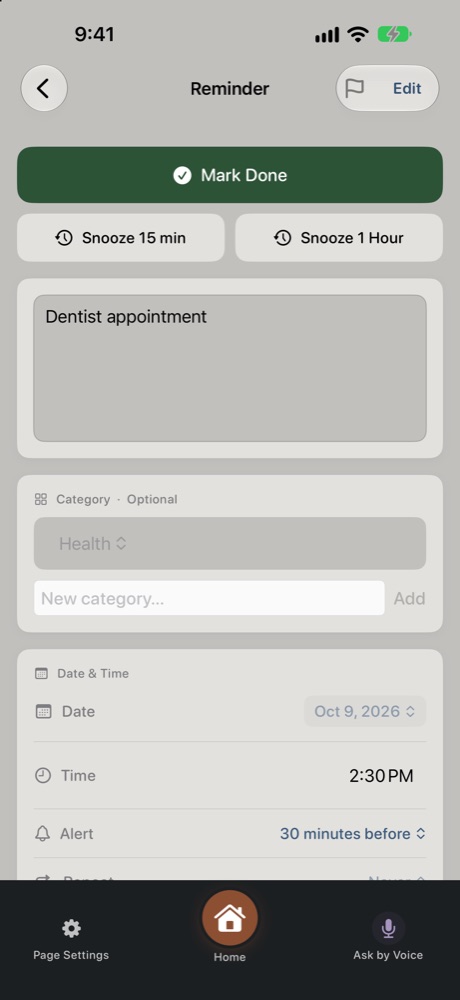
Alarm Mode rings even when the phone is on silent. Stop it, and one big button marks it done.

Everything in one place
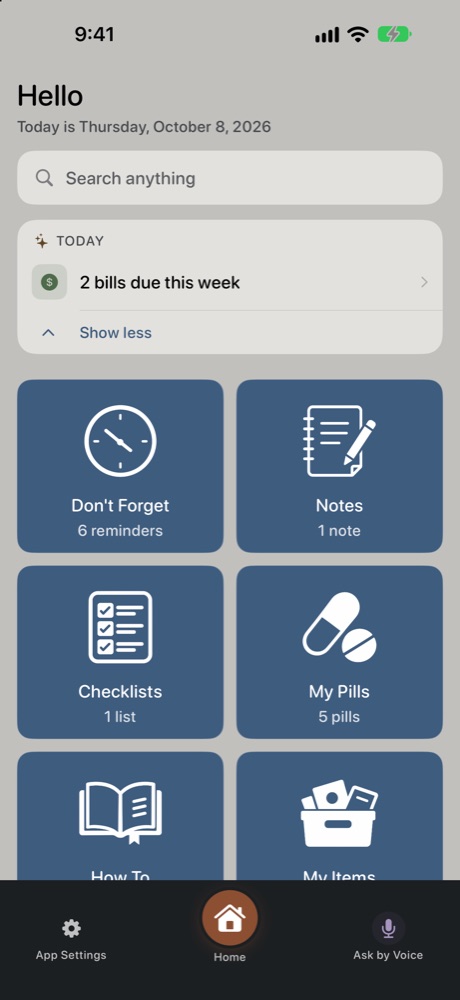
Ten simple sections instead of ten different apps — and one search box that finds anything.

Made for family
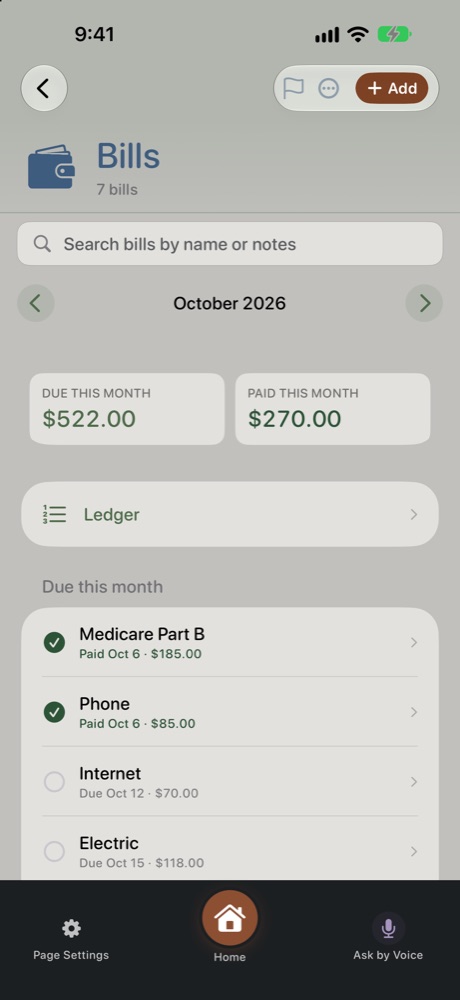
Share a grocery list or the family's medical info, and let a caregiver help with reminders, pills and bills.
Getting started takes a minute
Three steps, then Recall looks after the remembering.
Allow reminders to reach you
Say yes to notifications and alarms. That's what lets a reminder sound even when your phone is on silent.
Add your first few things
Tap Add, or just say it: "Remind me to call Joan Thursday at 4." Add your morning and evening pills, too.
Try Ask by Voice
Tap Ask by Voice at the bottom of the screen and ask anything — "What do I have tomorrow?"
Helpful from the first day
- Turn on Alarm Mode in Don't Forget → Page Settings for reminders you can't miss.
- Note where things go as you put them away: "I put the spare key in the kitchen drawer."
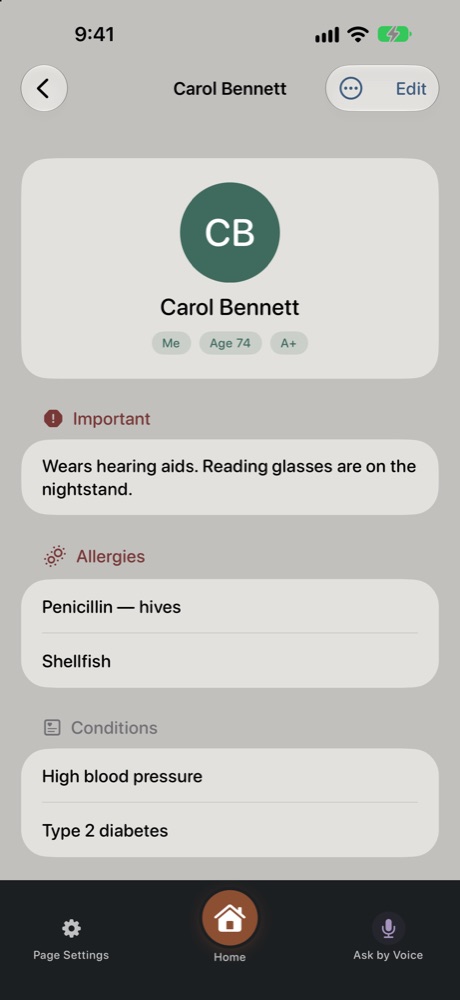
- Add the family to Medical Info — doctors, allergies and insurance, ready when you need them.
- Invite a family member under App Settings → Family Access, if you'd like a hand.
See it in action
The real app, with a made-up family.

Your information is yours.
No ads. No tracking. No accounts to create. Your information stays on your iPhone and in your own iCloud — we couldn't see it if we tried.
Read the plain-English privacy policy →